
 English
 Bangla



Easy Screen Recorder for MACS - Lifetime Activation - Instant Download
Easy Screen Recorder for MACS - Lifetime Activation - Instant Download
Download your Product: After completing the order with payment, you can download the product from your Elozaa.com dashboard download section.
How to Order and Download Digital Products of Elozaa.com. Video Link – Watch Video
After activating the software, only the installation package will be Download. (Pre-activated software, so no key/subscription is provided or required)
Package: Download link, Installation Manual/guideline delivered instantly Download from Elozaa Dashboard
Features:
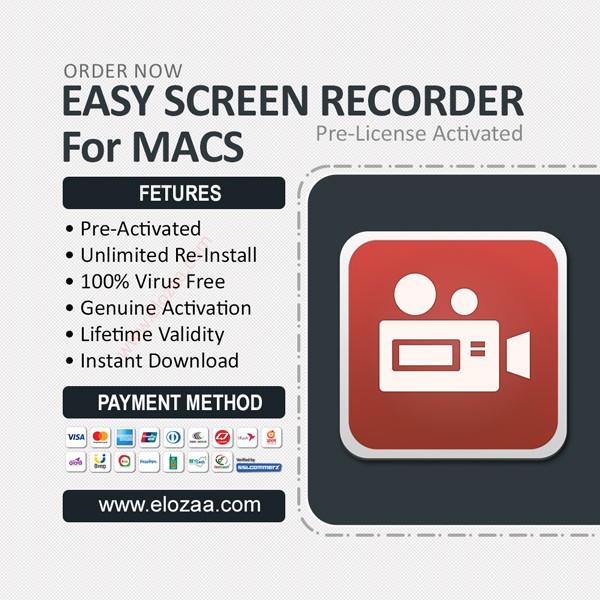
- Pre-License Activated
- Unlimited Re-Install
- 100% Virus Free
- Genuine Activation
- Lifetime Validity
- Instant Download
Easy Screen Recorder
Flexible Recording, Multi-Functional Editing, Perfect Video Production Assistant
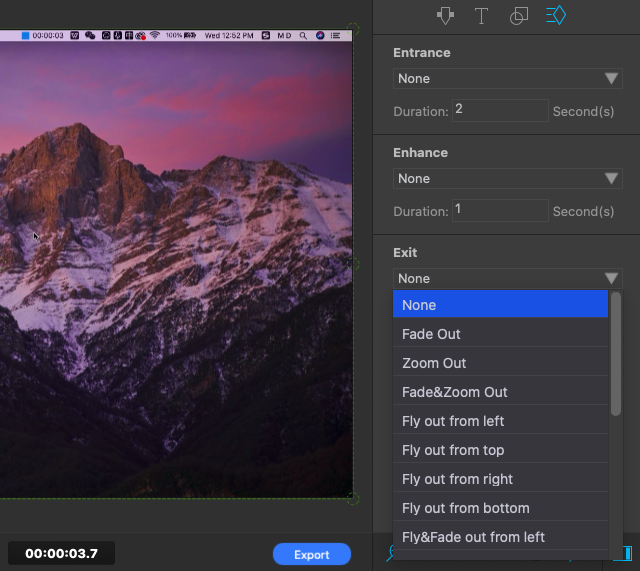
As a powerful screen recorder, Easy Screen Recorder combines audio and video recording, editing, merging, effect adjustment, text and pattern insertion and other functions. It is much simpler and clearer than professional software, with superior practical features that most screen recorders do not have
Convenient Process, Simple and Fast Recording Modes
This is a very simple video recording and editing software, which provides users with perfect application functions,saves cumbersome steps and the time required to edit files. It is not only a screen recorder, but also a powerful video editor.
Multiple Optional Modes, Quick Start and Operation
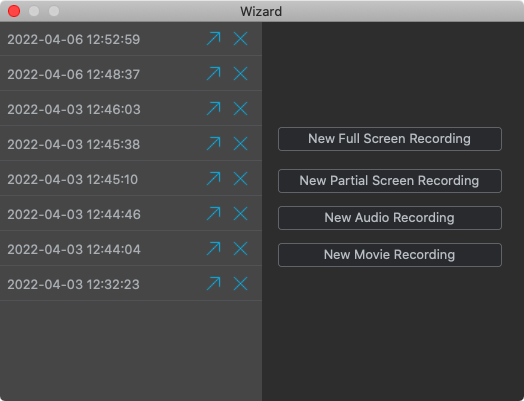
It’s an editor includes full screen and partial screen recording, audio and video recording functions. Users can operate various editing functions through a clear and simple window, by selecting the operation wizards on the main interface.
Screen Recording
Select "full screen" or "partial screen" recording in the wizard to quickly start the countdown. Then it will immediately start recording the screen. Just click the top timer to stop.
Audio Recording
Select "audio recording" in the wizard, and the software will pop up a small window. Choose the red icon to start recording audio files. Click the same icon to pause the audio recording process.
Movie Shooting
Self-made video can be directly recorded and imported for subsequent editing. It’s suitable for users who want to make their HD tutorial videos perfectly and efficiently.
Related products

























Elozaa.com is a modern online marketplace in Bangladesh, offering electronics, fashion, beauty, home and lifestyle products, baby items, accessories, digital products and more from trusted sellers. We aim to provide a simple, secure and convenient shopping experience with reliable delivery and responsive customer support.




Share with Friends
Trading is more effective when you share products with friends!Share you link
Share to